Learners Tune Out Static eLearning.
Interactive 3D Brings Training to LifeLightweight spatial learning. No XR. No Headsets.
Paste one line into Rise, Storyline, Captivate, or your LMS. Your learners explore complex equipment, systems, and procedures in 3D — instantly. No developers. No IT tickets. No rebuilding what already works.
No Credit Card · No IT Approval Needed
Zero friction setup
How It Works
Four steps. No specialized skills. No developer. No waiting. If you built a course this week, you can have 3D inside it by end of day.
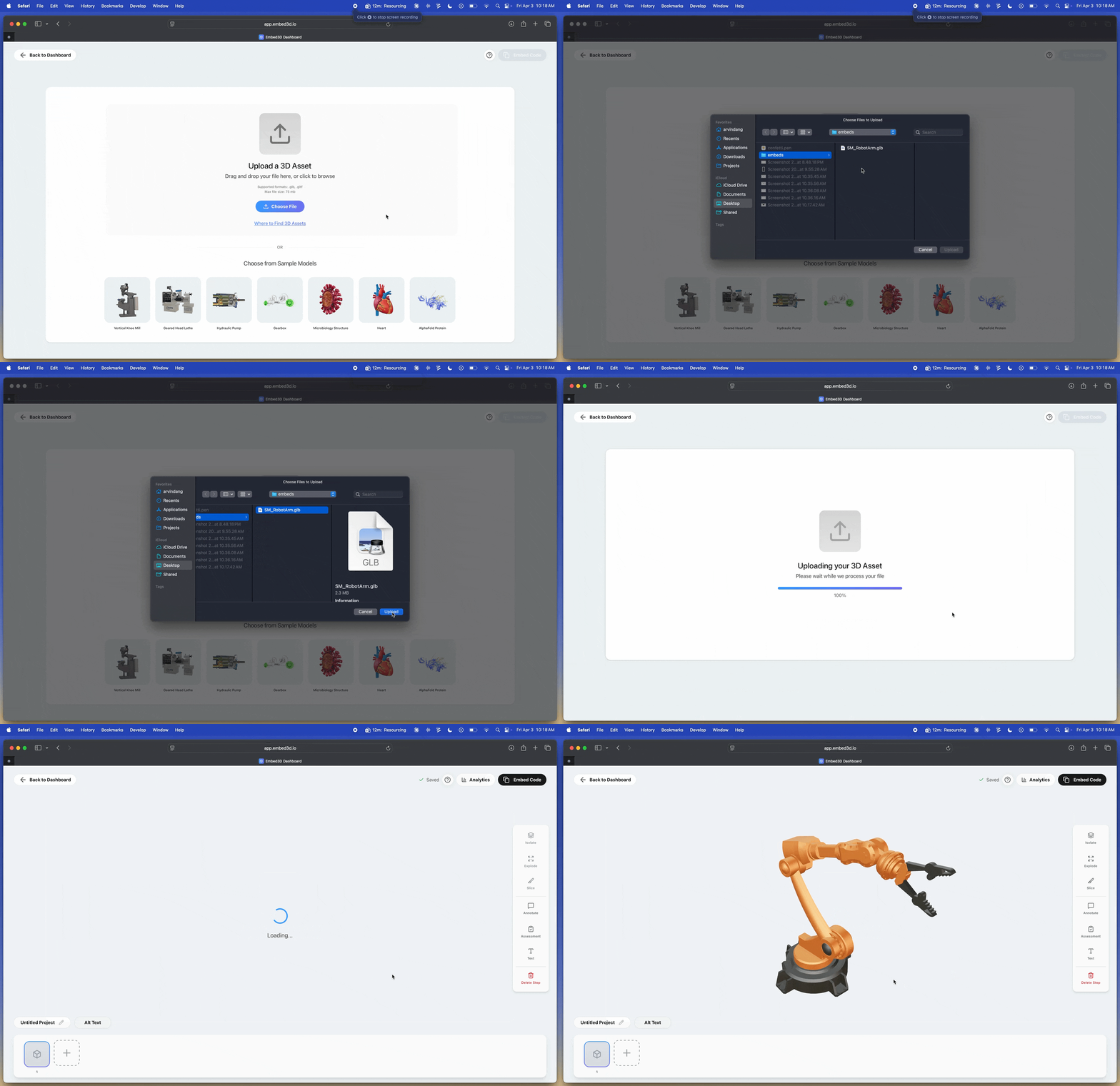
Upload Any 3D File
Drag and drop your 3D files into Embed3D. Processing happens instantly in your browser.
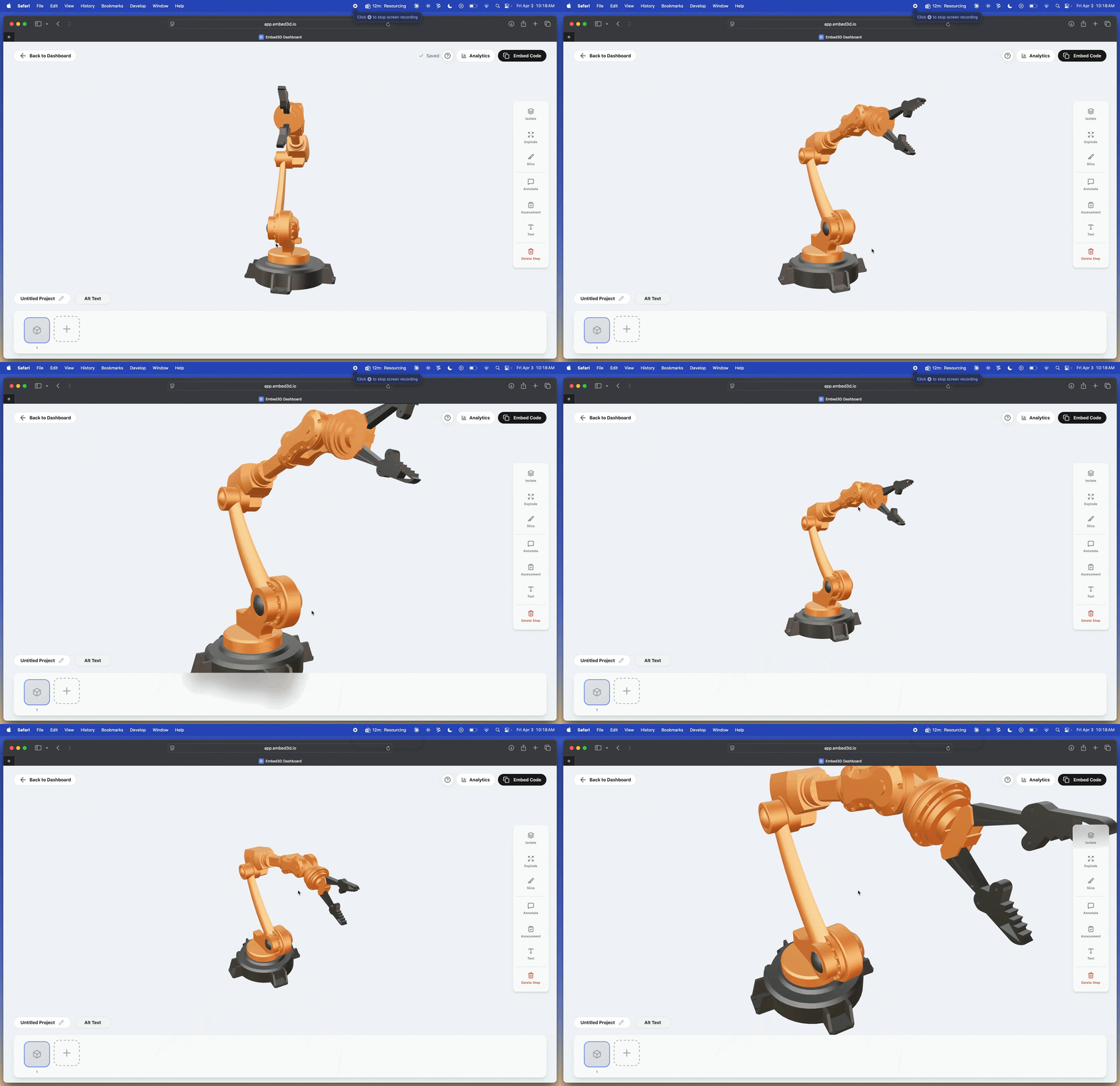
Configure Interactions
Add hotspots, set views, isolate parts, and add assessments — all from a visual interface. No code touched.
NO CODE REQUIRED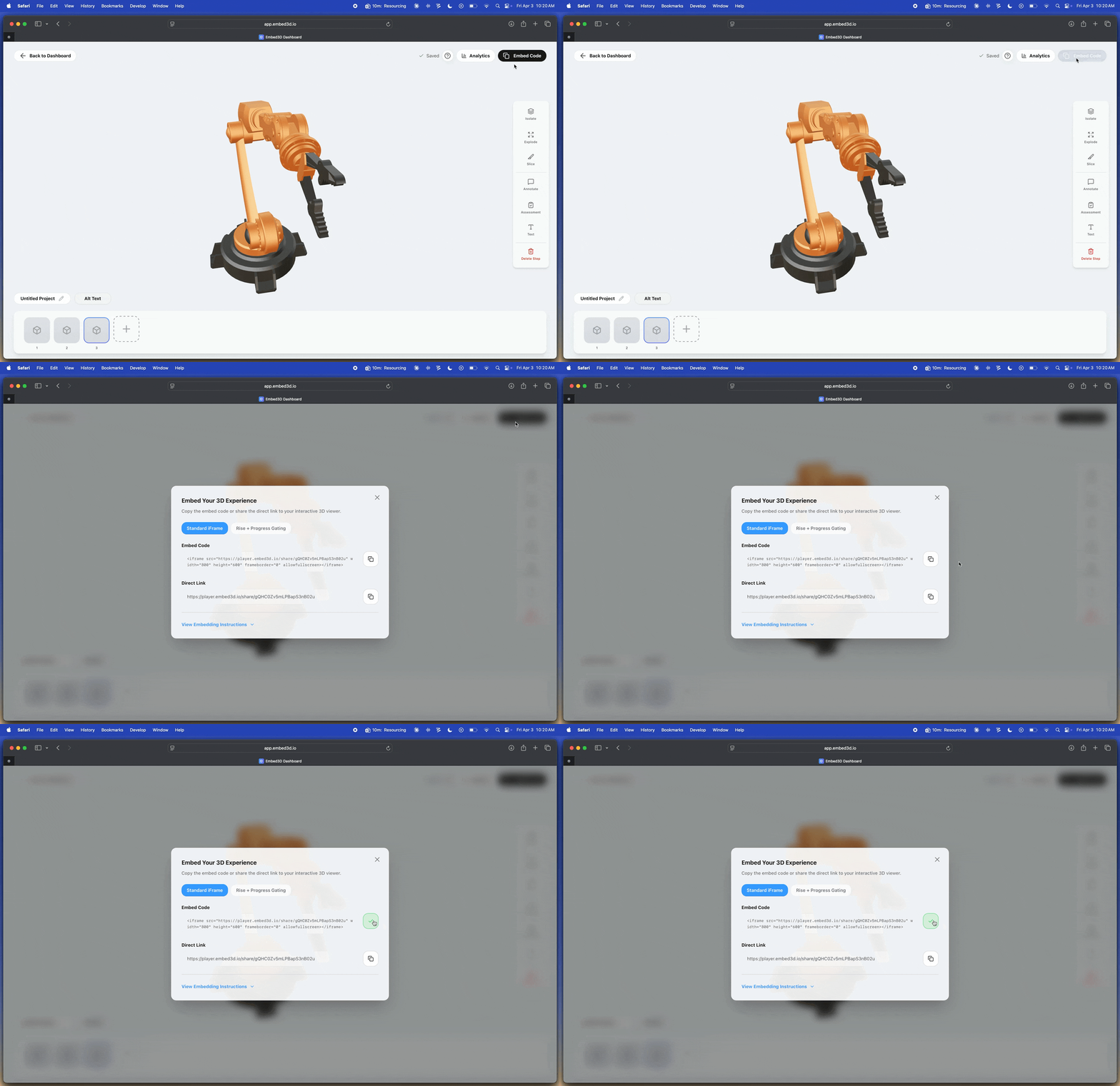
Copy the Embed Code
One line of code. Paste it anywhere HTML or iframe is accepted.
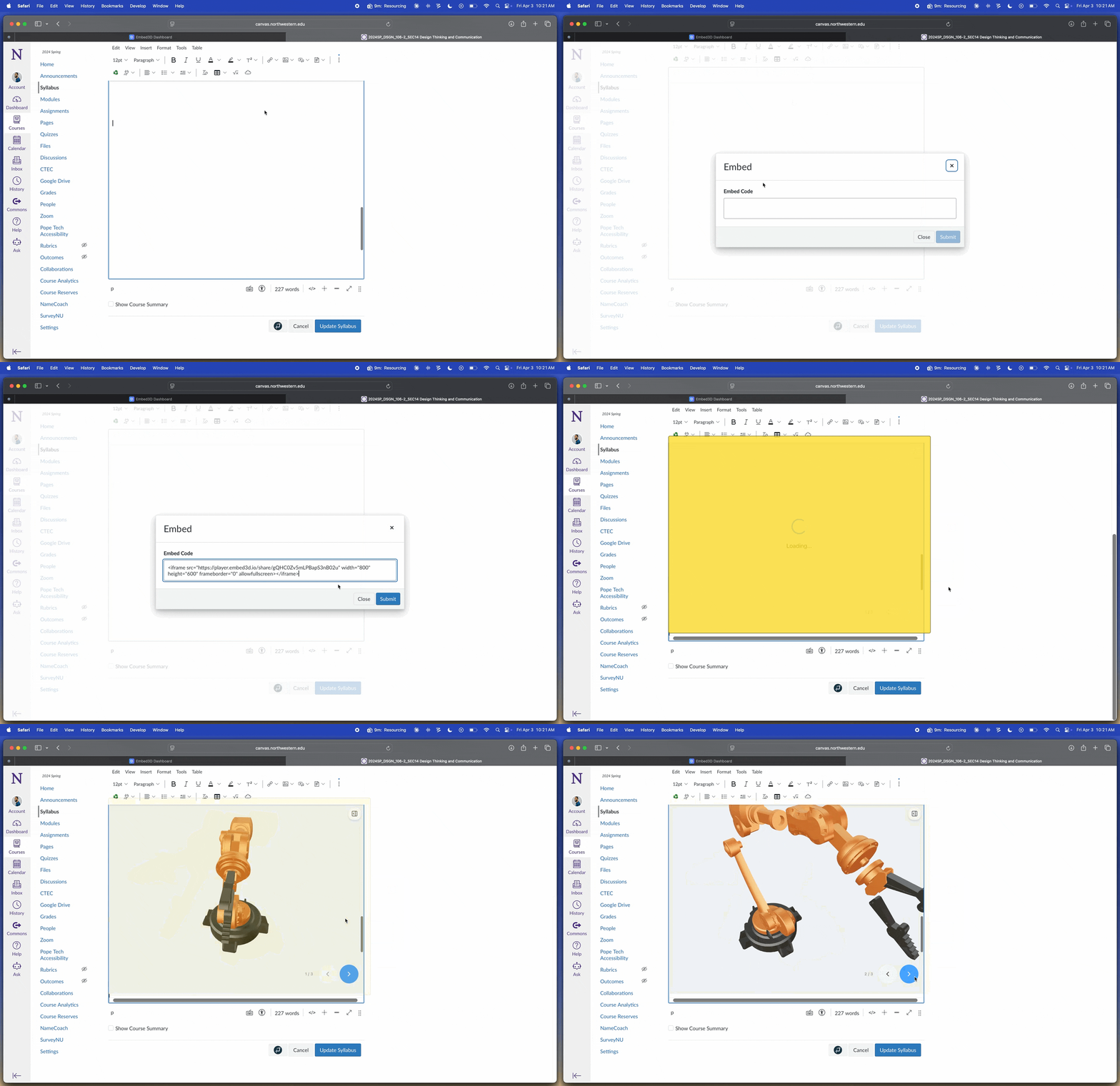
Paste Into Rise, Storyline, or Any Course — Done
Drop it into Rise, Storyline, Captivate, your LMS, or any webpage. Your learners interact with complex equipment, systems, and procedures in 3D — instantly.
WORKS ON ALL DEVICESBuilt for real training workflows
Built for Real Training Scenarios
Not just a 3D viewer. A complete toolkit to build, test, and prove the impact of your training — all without leaving your browser.
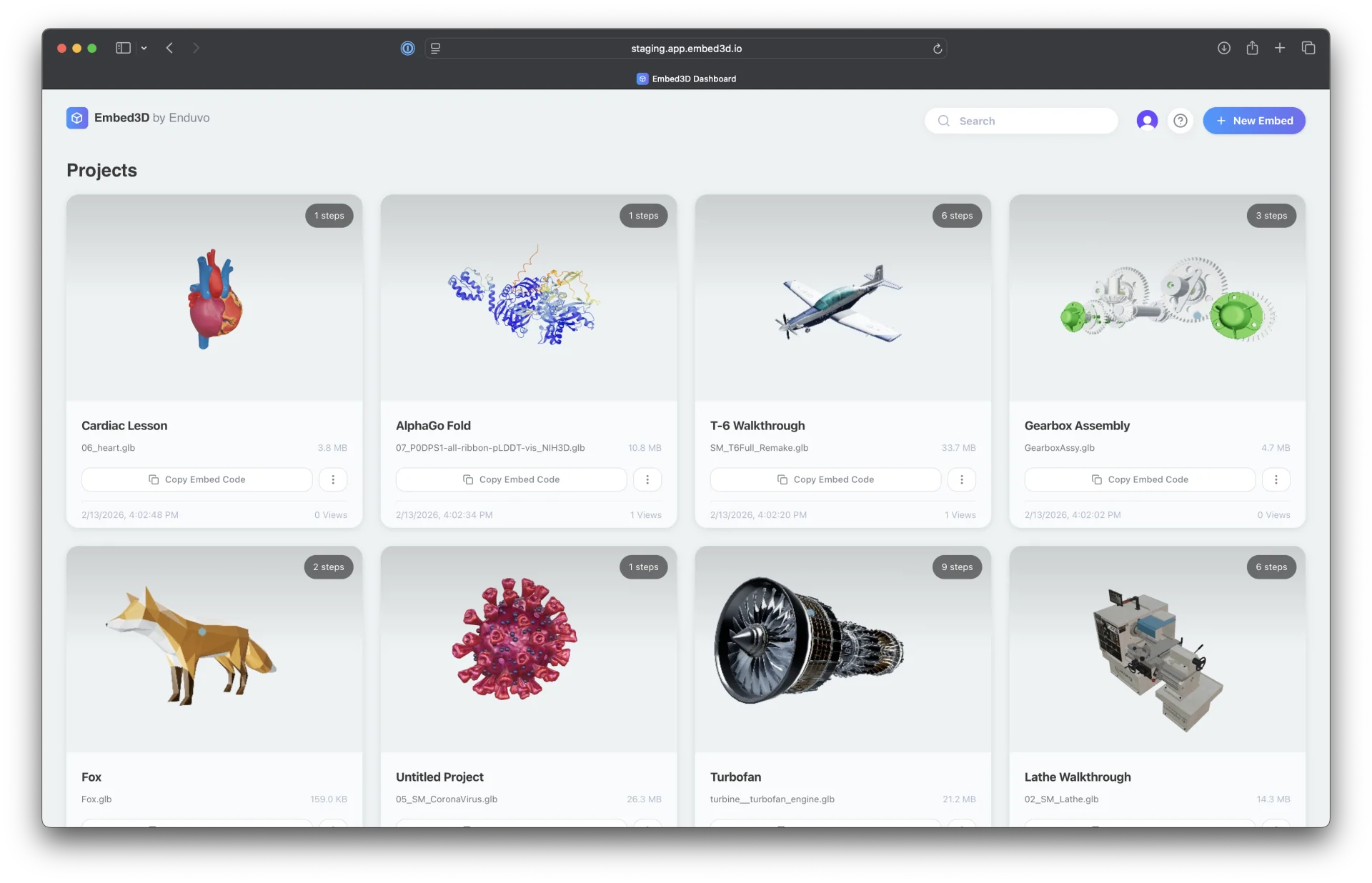
Explore Complex Equipment
Allow learners to rotate, zoom, and inspect components from any perspective.
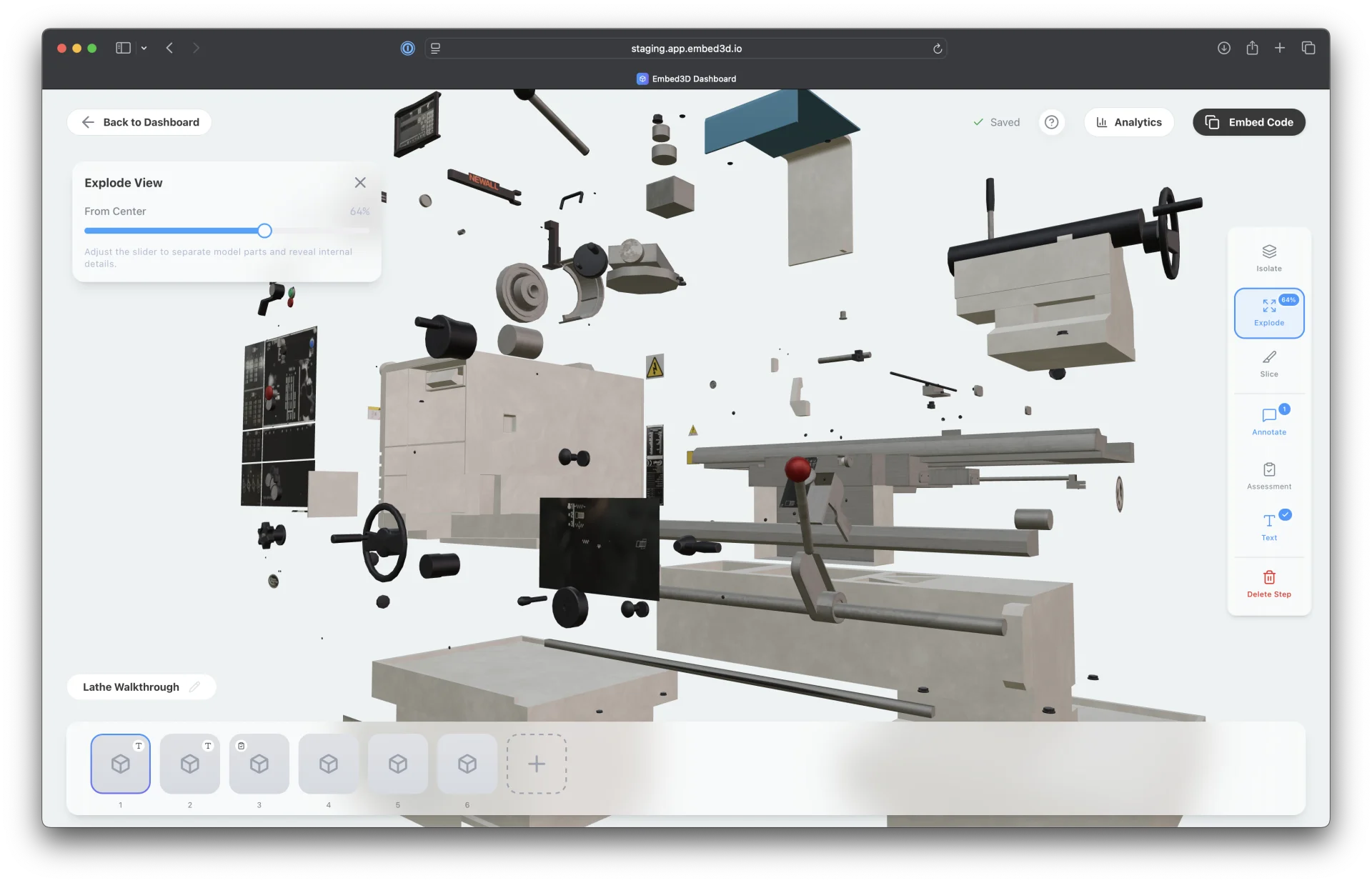
Guide Step-by-Step Procedures
Create structured step-by-step walkthroughs of maintenance, assembly, or workflows.
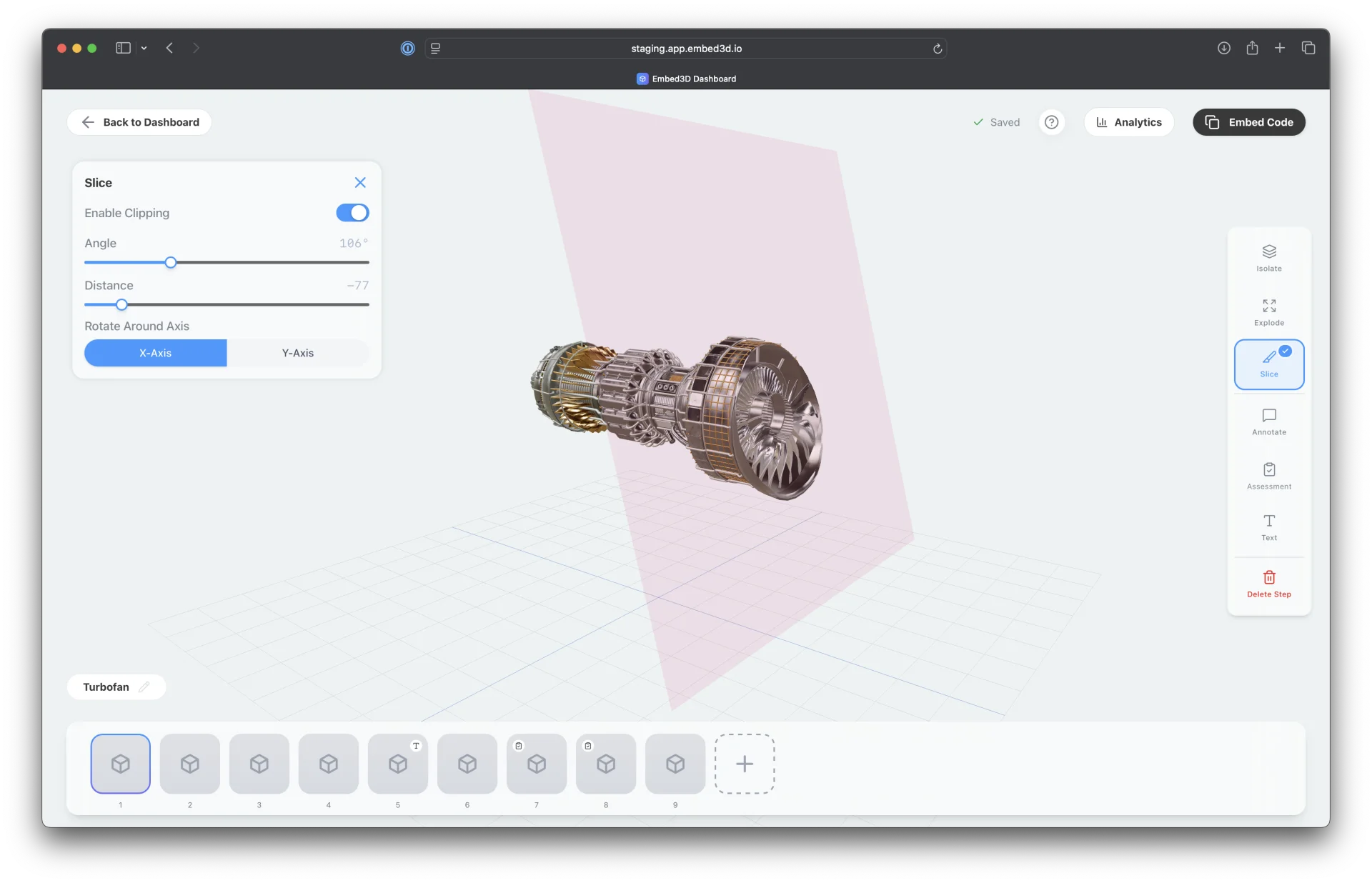
Reveal Internal Systems
Use expand and slice views to visualize and explain internal components.
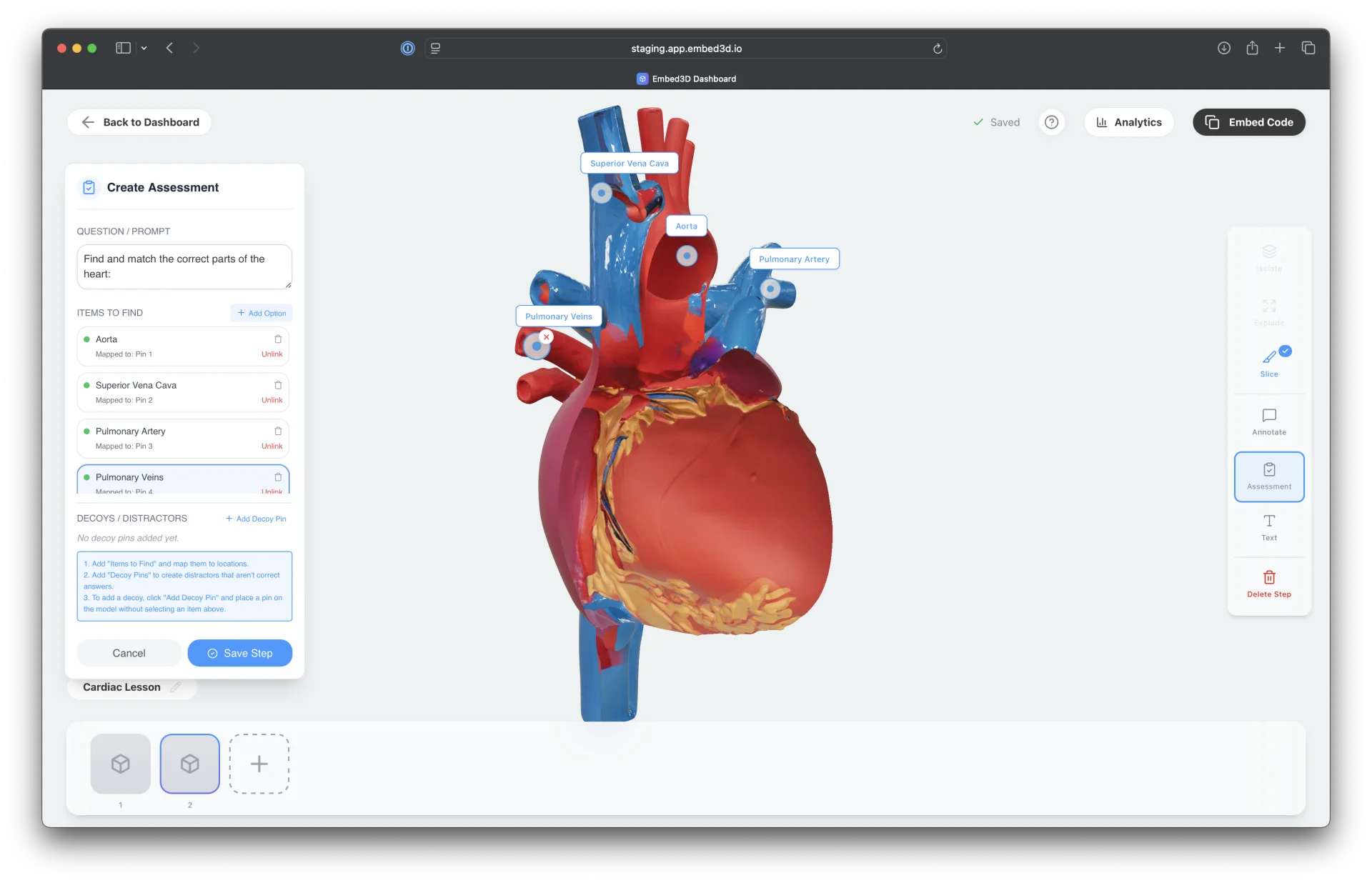
Assess Understanding
Add knowledge checks directly within the 3D experience.
Built for your workflow
Why Instructional Designers Choose Embed3D
Stop Losing Clients to Competitors With Better-Looking Training
Your competitors are already showing clients interactive 3D demos. With Embed3D, close your next proposal with an immersive sample — built in under an hour, no developer required.
Your Entire Team Can Use It — Not Just the Technical One
You shouldn't need a developer to deliver 3D training. Every instructional designer — regardless of technical background — can upload, customize, and embed in minutes. One tool. No gatekeepers.
Works Inside Rise, Storyline, Captivate & Canvas — Today
Paste one embed code and your learners see interactive 3D instantly. No new platform to learn. No IT ticket to file. Works in your existing workflow the same day you sign up.
Prove Your Training Is Working — With Data
Analytics show exactly which parts learners explore, how long they engage, and where they drop off. Show clients their training investment is paying off. Keep contracts. Grow them.
Scale Across Every Course You Build — Without Starting Over
Upload a 3D model once. Reuse it across every course for every client — no rebuilding, no re-uploading. Your library grows. Your production time shrinks. SCORM compatible by design.
Make Every Learner Feel Like the Course Was Built for Them
Built-in analytics show which parts of your 3D models learners explore most — giving you data to refine content, improve engagement, and feel more confident in their understanding.
Works where you work
Plug Into Your eLearning Stack
Embed3D is designed to slot into your existing workflow — not replace it.
Social proof
What Designers Are Saying
We reduced our onboarding time by 40% using Embed3D's 3D modules. Our learners feel more confident in their understanding of complex equipment without touching it.
I pasted one line into Storyline and my client's jaw dropped. Four minutes from nothing to a fully interactive 3D model inside the course. I've won two proposals since showing that demo.
Our maintenance training courses used to require on-site walkthroughs. With Embed3D, technicians interact with accurate 3D models of real equipment. Game changer.
Simple, transparent pricing
Try It Free. No Approval Needed.
No Credit Card.
No surprise bills. No locked-in contracts. Cancel anytime.
- ✓ 50 MB file size limit
- ✓ 5 projects
- ✓ Unlimited views
- ✓ 75 MB file size limit
- ✓ Unlimited projects
- ✓ Unlimited views
- ✓ Assessments
- ✓ Analytics dashboard
- ✓ Rich Annotations
- ✓ Remove Embed3D branding
- ✓ 100 MB file size limit
- ✓ Everything in Pro
- ✓ 5 team members ($9/additional seat)
- ✓ Role-based permissions
- ✓ Advanced collaboration tools
- ✓ 500 MB file size limit
- ✓ Everything in Team
- ✓ Unlimited team members
- ✓ Dedicated support
Get started today
Embed Your First 3D Model Today.
Show Your Team or Your Customer by Tomorrow.
Join the instructional designers who stopped losing proposals to competitors with better-looking courses — and started winning them instead.
No credit card · No IT approval needed · No sales call
Free plan forever